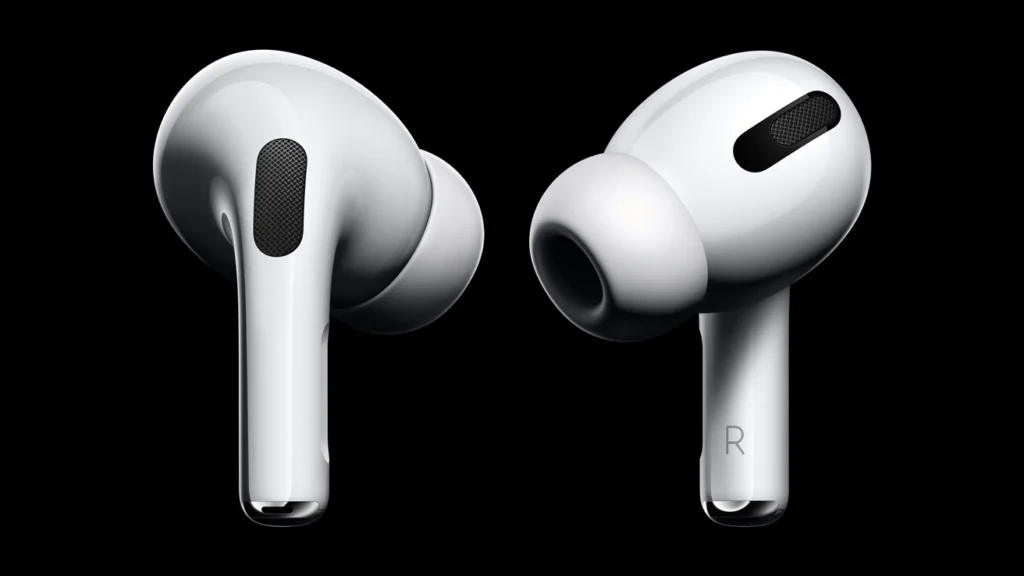
The worst happened to you, right? You left your AirPods Pro in your jeans and they got washed, or you dropped them in the pool, or a fountain. If you’re reading this, chances are your AirPods are making a beeping sound after getting wet.
In this guide, we’ll go over ‘why is my airpod pro beeping after getting wet’ and what you can do to fix the issue.
Breaking Down AirPods’ Water Resistance
Apple claims their Apple AirPods Pro has a water resistance rating of IPX4. However, the MagSafe Charging Case and Wireless Charging Case for AirPods Pro 1 aren’t water & sweat-resistant.
The IPX4 rating means that your AirPods can withstand splashes of water and sweat, but they won’t survive long if submerged in water for too long.
Why do Your AirPods Make the Beeping Sound?
There are multiple reasons why your AirPods Pro could be beeping after getting wet:
- Moisture Detection
The AirPods Pro comes with moisture detection. Once the device detects moisture, it starts making a beeping sound. The beeping sound is a trigger that your AirPods may be damaged. The beeping sound is a safety feature, it’s there to let you know that your AirPods have water damage.
- Battery Issues
Another possible reason for the beeping sound is if there’s an issue with the battery. When the AirPods get wet, it can also hurt the battery, which can lead to a beeping sound.
The moisture in the device can also interfere with charging or also may hurt the battery. If that’s the case, then the beeping sound may be irregular.
In either case, the best thing to do is to let your AirPods dry off completely before you try and use them. Another thing you can try is reaching out to Apple support if you don’t want to get your hands by troubleshooting AirPods by yourself.
How to Resolve AirPods Beeping Sound?
If you’re wondering why does my airpod pro case keep beeping after getting wet, these are the steps you can take:
- Dry AirPods
The first thing to try is drying your AirPods. Remove the AirPods from the case and dry them using a soft cloth. Make sure to thoroughly dry the grills the mic, and the charging port. Don’t use external heat like hair dryers, it may hurt the AirPods instead of saving them.
- Don’t Use AirPods
Once you’ve dried your AirPods, don’t use them. They may look dry from the outside, but there may be some components that are still wet. Let your AirPods dry off for the next 24 hours and try to use them. If they still don’t work, move on to the next step.
- Reset the AirPods
If the beeping sound is still there after you’ve dried your AirPods, try to reset them. Resetting your AirPods is easy, here are the steps:
- Place the AirPods into the charging case
- Press and hold the setup button until the LED starts flashing
Reconnect AirPods to your device and check if the beeping sound has stopped.
- Contact Apple Support
If you’ve tried everything and nothing seems to work, your only remaining option is to talk to Apple support. You can also visit your nearest authorized service center to get help.
Knowing Apple, they will most likely suggest that you get new AirPods, which in our opinion would be cheaper than getting them repaired.
Summing Up
The beeping sound from your AirPods is a sign that they are damaged by water. Even though the AirPods are water resistant, they can’t handle being drowned. And if your AirPods have been submerged, follow the steps above to fix it, and if nothing works, contact Apple support.