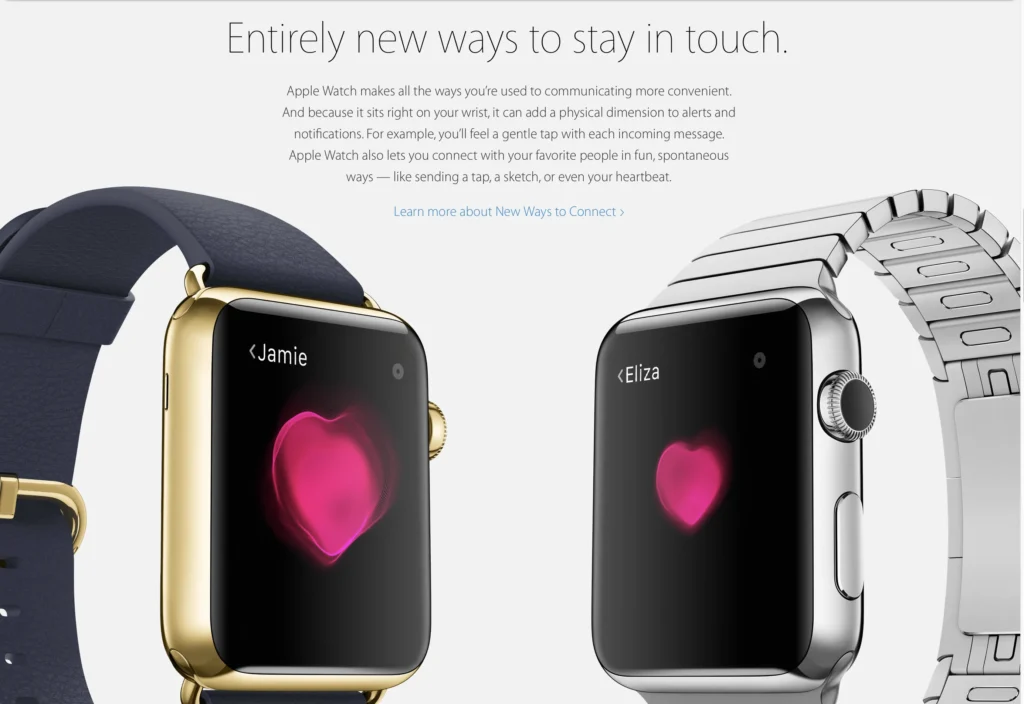
Tired of the same old boring way of telling your loved ones that you love them? Well, you could send them a beating heart to show you care for them. It’s a great way of letting them know that your heart beats for them. The Digital Touch feature on iMessage allows you to do just that. If you have no idea how to send a heartbeat on Apple Watch or iPhone, this guide is for you.
Also, keep in mind that Digital Touch isn’t available on Android devices. Here’s how to send a heartbeat on Apple Watch.
How to Send a Heartbeat on Apple Watch?
When you send a heartbeat, it appears as a beating heart to your recipient. Follow these steps to send your heartbeat on Apple Watch.
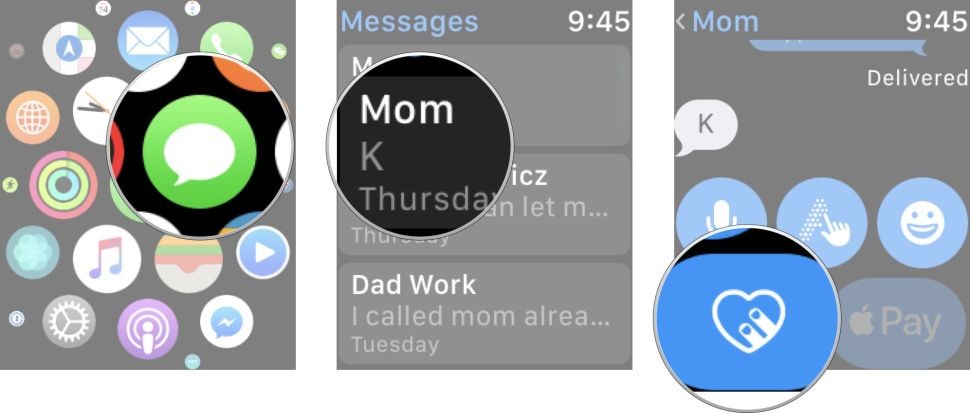
- On the home screen of your Apple Watch, tap on Messages.
- Choose the person you wish to send the heartbeat to, then tap on the Digital Touch icon. (The digital touch icon looks like two fingers pressing a heart. You won’t be able to see the icon if you’ve already started typing. Tap on the Show More button to uncover the feature.)
- Press and hold two fingers on the screen until a heart appears and starts beating.
- Taking your fingers off the screen will send the heartbeat.
Side Note: You can also send a broken heart if you want to. Press and hold with 2 fingers to make the heart appear, and then drag your fingers down the screen before releasing.
How to Send a Heartbeat on iPhone?
You can also send your heartbeat on iPhone using Digital Touch. You can still show how much you care for your loved ones. Here’s how to send a heartbeat on iPhone.
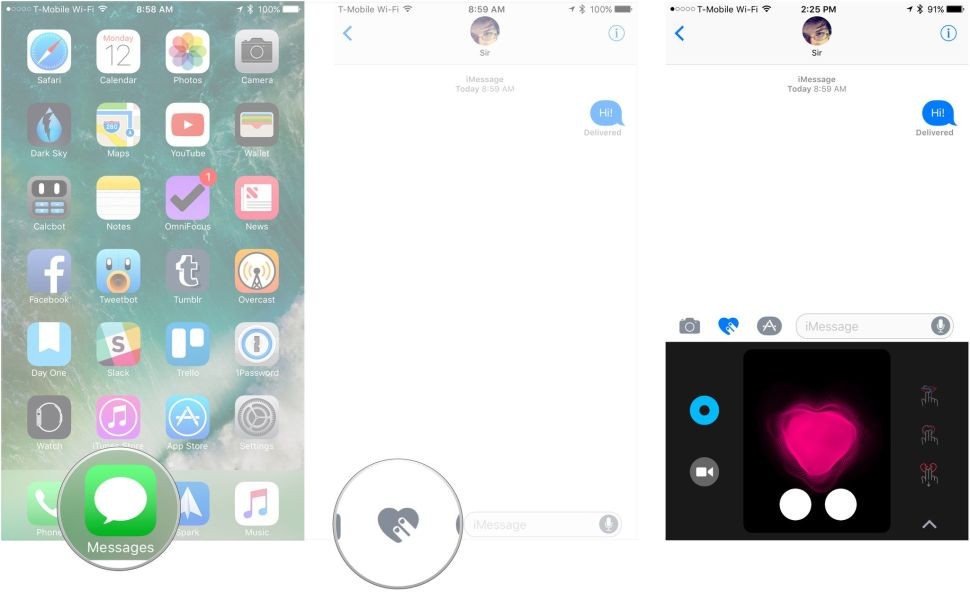
- Open the Messages app on your iPhone.
- Tap on the text box and then click on the Digital Touch icon.
- Same as the Apple Watch, tap and hold with two fingers on the canvas that has popped up on the bottom of your screen.
- Take your fingers off the canvas to send the text. Your loved ones will now receive your heartbeat.
Also Read: Can you Wear Your Apple Watch on Your Ankle?
Conclusion
That’s how easy it is to send a digital heart to someone using your Apple Watch and iPhone. The steps are easy, and it’s a convenient way to tell someone that you love them.